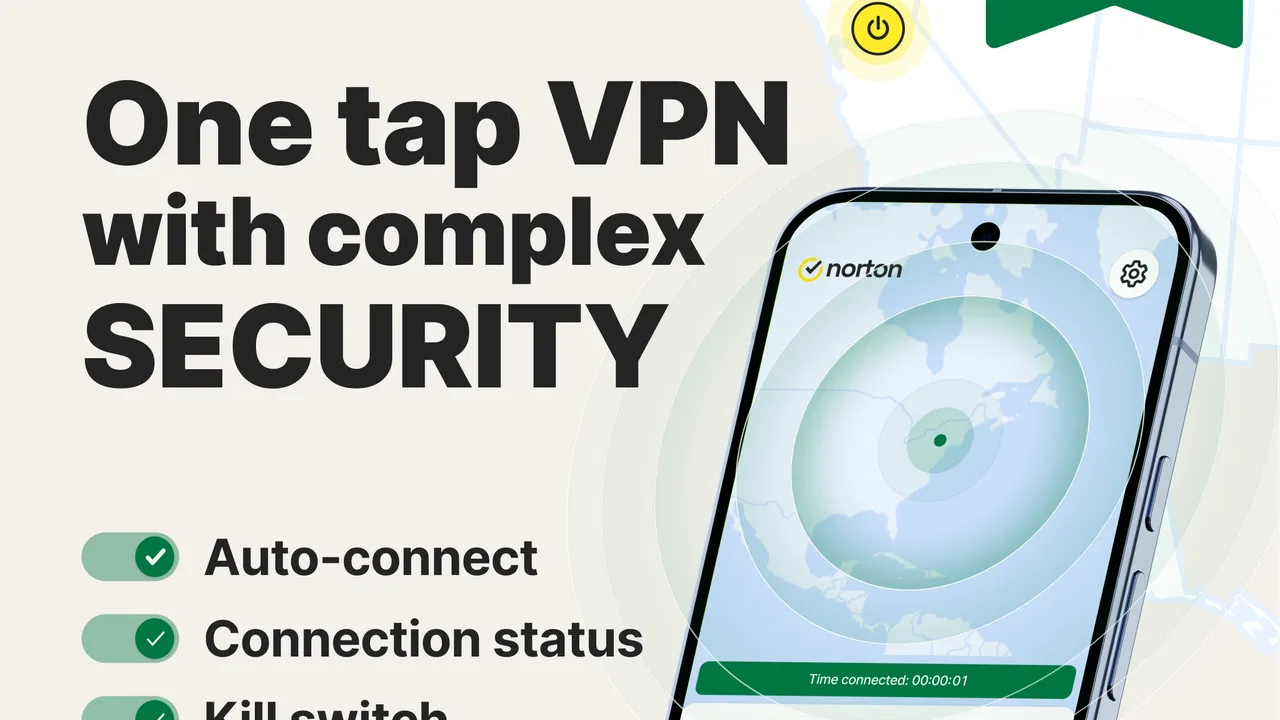
Norton VPN – Fast & Secure
- 4.5
- Rating
- 10.00M
- Installs
- Free
- Price

 Analysis by App-foxy
I approach a VPN app differently from an ordinary utility. It sits between my phone and the internet, so speed and convenience matter, but trust matters just as much. Norton VPN – Fast & Secure is a free tools app from NortonMobile, aimed at people who want a simpler way to use public or unfamiliar networks. After spending time with it, I found the main appeal easy to understand: it puts a familiar VPN service in a mobile-friendly package without asking me to become a networking expert.
The app has a 4.5 average from roughly 301 thousand ratings, and it has passed 10 million installs. Those figures do not prove that it is the right choice for everyone, but they do show that it has become a well-known option rather than an obscure utility. The age rating is Everyone, which matches the straightforward nature of the app. It is available at no upfront cost, although in-app purchases range from $9.99 to $129.99 per item, so I would pay attention to the plan choices before treating the free download as the complete experience.
What trust looks like before I connect
My first impression is that Norton VPN is designed to reduce hesitation. The developer name, NortonMobile, gives the app a recognizable identity, and the basic purpose is clear: it is meant to help me access websites and apps more securely while I am away from my usual connection. That focus is useful because VPN software can otherwise feel unnecessarily technical, especially on a phone where I want a quick decision rather than a lesson in tunneling protocols.
You May Also Like

 Blood Strike: 2.5 Anniversary
Blood Strike’s Loadouts Turn Every Drop Into a Tactical Gamble
A close look at Blood Strike’s custom loadouts: how fast access to signature weapons reshapes its battle royale rhythm, rewards preparation, and narrows the gap between fights.

 Pandora - Music & Podcasts
Pandora’s Music Is Easy to Start, but Harder to Recover
Pandora’s strength is its low-effort path from a seed to a station. Its weak spot is how much confidence it asks you to place in connection, setup, and quiet recovery.

 8 Ball Pool
 Is Built on Rivalries, Rematches, and Routine
A close look at the rivalries, rematches, shared routines, and unanswered safety questions that turn a quick pool match into a persistent mobile community.

 Samsung Music
’s Quiet Strength Is Playing What You Already Own
Its reach comes less from spectacle than from dependable access to a personal library. That simplicity is both the app’s strongest retention engine and its ceiling.

 AccuWeather: Weather Radar
AccuWeather Review: A Quick, Clear Forecast for Everyday Decisions
For everyday plans, the best forecast is the one you can understand quickly. AccuWeather makes rain timing, radar, and local conditions easy to act on, with a few trade-offs.

 Hill Climb Racing
Why Hill Climb Racing Still Turns Crashes Into One More Run
A tiny car, a bumpy hill and one more upgrade: Hill Climb Racing keeps resurfacing because its simple chaos makes every near-miss feel personal.
More From Our News Desk



Still, I would not confuse a familiar security name with a reason to switch on every available setting without reading. A VPN changes the path my traffic takes, which means the provider becomes an important part of my privacy decision. I look for clear choices during setup, understandable account controls, and a sensible explanation of what the app needs to do its job. Norton VPN is most convincing when it keeps those choices visible instead of treating privacy as a decorative slogan.
I also appreciate that the app belongs in the tools category rather than pretending to be a complete security suite. It is not something I would install as a substitute for cautious browsing, strong passwords, software updates, or device protection. Its role is narrower: it can be useful when the connection itself deserves extra care. That distinction helps me judge it fairly and prevents the common mistake of expecting one app to solve every online safety problem.
For a first-time VPN user, the biggest advantage is the low learning curve. I can think about whether I trust the current network, whether I need a protected connection, and whether the app’s current plan suits me. I do not need to understand every technical detail before making a practical decision. For a more experienced user, that simplicity can feel limiting if they expect a large collection of advanced controls or detailed network diagnostics.
When the app earns a place on my phone
The clearest everyday scenario is travel. Imagine that I am waiting in a hotel lobby or working from a café and need to check email, review a document, or use an account that I would rather not access casually on an unfamiliar Wi-Fi connection. I would open the VPN before doing that work, check that the connection is active, and then continue. The value is not that the app makes careless behavior safe; the value is that it gives me an additional protective layer at the moment I need one.
I would also consider it for occasional use on shared networks at airports, libraries, conferences, or short-term rentals. These are situations where I may not control the router or know how it is configured. A mobile VPN can be more convenient than remembering to change settings manually for every network. The important habit is to activate it before opening sensitive services, not after I have already signed in and started transmitting information.
There is a less obvious benefit in separating network protection from the individual app I happen to be using. If I switch between a browser, a mail client, and a banking app during the same session, I do not have to make three separate privacy decisions. That makes the workflow easier to remember. On the other hand, it also means I should be aware that the VPN applies broadly, so it may affect apps that do not need it and may complicate services that are sensitive to a changed connection.
I would skip it if my main goal is advanced control over every aspect of a VPN connection. People who need highly specific configuration, extensive technical diagnostics, or a carefully tailored network policy may be happier with a specialist service built around those controls. Norton VPN is better suited to someone who values a recognizable provider and a relatively approachable mobile experience over deep manual tuning.
Controls I would check instead of accepting blindly
My advice is to treat the first launch as a privacy review, not as a race to the connection button. I would read each permission request and ask whether it makes sense for a VPN. I would also look at the account and subscription screens carefully, especially because the download is free while paid items are available. A clear understanding of what I can use without paying helps prevent an unpleasant surprise later.
Another practical step is to decide in advance when I want the VPN active. If I only need it on unfamiliar networks, I can make that part of my travel routine. If I leave it running constantly, I should watch for changes in the behavior of apps that rely on location, local-network discovery, or a stable connection. The right setting is not automatically “always on”; it depends on whether convenience, compatibility, or network protection is my priority at that moment.
I also pay attention to the connection indicator before assuming that protection is in place. A VPN interface can make the process feel finished when I have only opened the app. My own rule is simple: I do not enter sensitive information until I have confirmed that the VPN session is actually active. If a connection fails, I would rather use mobile data or wait than continue under a false sense of security.
One useful workflow is to test the app during an ordinary, low-risk session before relying on it during travel. I might browse a few normal sites, open the apps I use most, and check whether notifications, streaming, messaging, and local-device functions still behave as expected. This gives me a chance to identify friction while I am at home, rather than discovering it when I am trying to work from a crowded terminal.
That test also helps me decide whether the free route is enough for my needs. I would not begin with a long-term purchase simply because the app is familiar. I would first establish how often I use it, whether the available connection behavior suits me, and whether the paid options offer something I genuinely need. The price range makes comparison important: a light, occasional user and a daily VPN user should not make the same buying decision.
Privacy-sensitive moments need more than a VPN
There are moments when I would be especially careful. Signing into financial services, sending work files, managing medical information, or entering identity details all deserve more than a single protective tool. I would use a VPN as one layer, while still checking the website address, using multi-factor authentication where available, keeping the phone updated, and avoiding links I do not trust. The app can help with the connection, but it cannot tell me whether a message is fraudulent or whether I am visiting the wrong site.
I would also avoid assuming that a VPN makes public Wi-Fi trustworthy. It may reduce exposure associated with the network path, but the network can still be inconvenient, unstable, or deliberately misleading. I would never install an unexpected certificate, ignore a browser warning, or share credentials just because Norton VPN is active. That is an important trade-off: the app can improve the conditions around browsing, but it does not replace judgment.
Streaming and location-sensitive services are another area where expectations should stay realistic. Changing the apparent network location can affect whether an app works normally, and some services may react to the altered connection. If my priority is uninterrupted access to local devices, casting, or a service that expects my ordinary network, I would test those tasks individually. If they fail, temporarily disconnecting may be more sensible than repeatedly changing settings without understanding the cause.
Battery and performance deserve the same practical attention. Any service that manages network traffic can add another step between the phone and the internet. I would judge it by my own routine rather than assume that a VPN is invisible. If I notice slower loading, interrupted calls, or a problem with a particular app, I would compare the experience with the VPN off and then decide whether the extra protection is worth the inconvenience for that task.
How it compares with ordinary alternatives
The usual alternative is simply using the phone’s normal connection and relying on the security of each website or app. That is easier and may be perfectly adequate on a trusted home network, especially when I am not handling sensitive information. Norton VPN becomes more attractive when I am on a network I do not manage and want a repeatable way to add protection without changing settings separately inside every app.
Another alternative is a VPN built for technical users. Those services may offer more visible customization, more detailed information, or a broader set of choices for people who want to control every connection decision. The trade-off is that their interfaces can demand more attention. I would choose Norton VPN when I want a familiar, less intimidating mobile tool; I would choose the specialist route when configuration depth matters more than simplicity.
Browser-only privacy tools are also different. They can be useful if my concern is limited to web browsing, but they do not necessarily cover the other apps I use. Norton VPN makes more sense when I want the protection decision to apply across my phone’s broader activity. That wider scope is also why I would be more deliberate about compatibility and permissions before leaving it active all day.
Finally, some people may already receive VPN access through another security subscription. In that situation, I would compare the existing service before adding another app. Running overlapping tools can create confusion, and paying twice does not automatically produce twice the benefit. Norton VPN is easiest to recommend when it fills a real gap rather than duplicating protection I already have.
Who should use it and who should pass
I think it is a good fit for a phone user who travels, regularly joins unfamiliar Wi-Fi networks, or wants a recognizable entry point into VPN protection. It is also suitable for someone who does not want to manage complicated technical settings. The familiar branding and clear purpose lower the barrier to making safer connection choices, provided the user still reads the setup screens and understands the subscription path.
I would be more cautious recommending it to someone who needs a VPN for highly specialized work, extensive manual configuration, or a very specific network behavior. I would also hesitate if the person dislikes subscriptions, rarely uses public networks, or already has a VPN included in another service. In those cases, the free installation may add clutter without solving a meaningful problem.
Parents and families should remember that an Everyone age rating describes the app’s audience, not every website a VPN may help a device reach. I would not use the rating as a substitute for parental supervision or content controls. A VPN can change how a connection is handled, but it does not make every online destination appropriate or every download safe.
For work, I would follow the organization’s own policy before installing or activating it. A company may require a specific VPN, device management system, or approved connection method. Norton VPN can be useful for personal travel and general browsing, but that does not automatically make it the correct tool for accessing internal business systems.
My cautious verdict after using the app
Norton VPN – Fast & Secure is a sensible mobile VPN for people who want a straightforward way to add protection on unfamiliar networks. I like its approachable purpose and the fact that it does not force a new user to become a networking specialist. Its strongest use is situational: I would reach for it before using important accounts on public Wi-Fi, then keep the rest of my security habits in place.
My reservations are equally practical. The free download should not be mistaken for unlimited value, because paid items can become part of the decision. A VPN can also introduce compatibility issues, affect network-dependent apps, and create overconfidence if I treat the connection as a complete security solution. I would test it with my normal apps, review the available account choices, and decide whether the ongoing cost matches how often I need it.
After weighing those points, I would recommend it to a friend who wants an accessible VPN from an established developer and mainly needs protection while traveling or using shared networks. I would not recommend it automatically to an advanced user or to someone who already has an equivalent service. The best reason to install Norton VPN is not the promise of invisible security; it is the practical habit of making a deliberate connection choice when the network deserves extra caution.
FAQs for Norton VPN – Fast & Secure
01What platforms is Norton VPN available on?
Norton VPN is available on both Android and iOS platforms, making it accessible for a wide range of mobile devices. Users can download the app from the Google Play Store for Android or the Apple App Store for iOS. It’s also available for Windows and Mac, providing a seamless experience across different devices.
02How does Norton VPN ensure my online security?
Norton VPN uses bank-grade encryption to secure your data, ensuring that your online activities remain private. It protects against hackers and cybercriminals, especially on public Wi-Fi networks, by creating a secure tunnel for your internet traffic. This makes it a reliable choice for maintaining privacy and security online.
03Can I access geo-restricted content with Norton VPN?
Yes, Norton VPN allows users to access geo-restricted content by masking your IP address and changing your virtual location. This feature enables you to bypass regional restrictions and enjoy content from different countries, making it ideal for streaming services and other location-based platforms.
04Does Norton VPN affect my internet speed?
While using a VPN can sometimes slow down internet speed due to the encryption process, Norton VPN is designed to offer fast and stable connections. Users generally find the speed reduction minimal, allowing for smooth browsing and streaming experiences. However, actual speeds may vary based on server location and local internet conditions.
05How user-friendly is the Norton VPN app?
Norton VPN is designed with a user-friendly interface, making it easy for both beginners and experienced users to navigate. The app offers a simple setup process and intuitive controls for connecting to VPN servers. With features like auto-connect and server selection, users can easily optimize their VPN experience without technical expertise.
Pros
- Easy-to-use interface for quick setup.
- Strong encryption ensures data privacy.
- No-log policy enhances user anonymity.
- Global server coverage for fast connections.
- Supports multiple devices with one account.
Cons
- Limited free version features.
- Occasional connection drops reported.
- No dedicated IP option available.
- Can slightly reduce internet speed.
- Higher price compared to competitors.

Norton VPN – Fast & Secure
Gallery